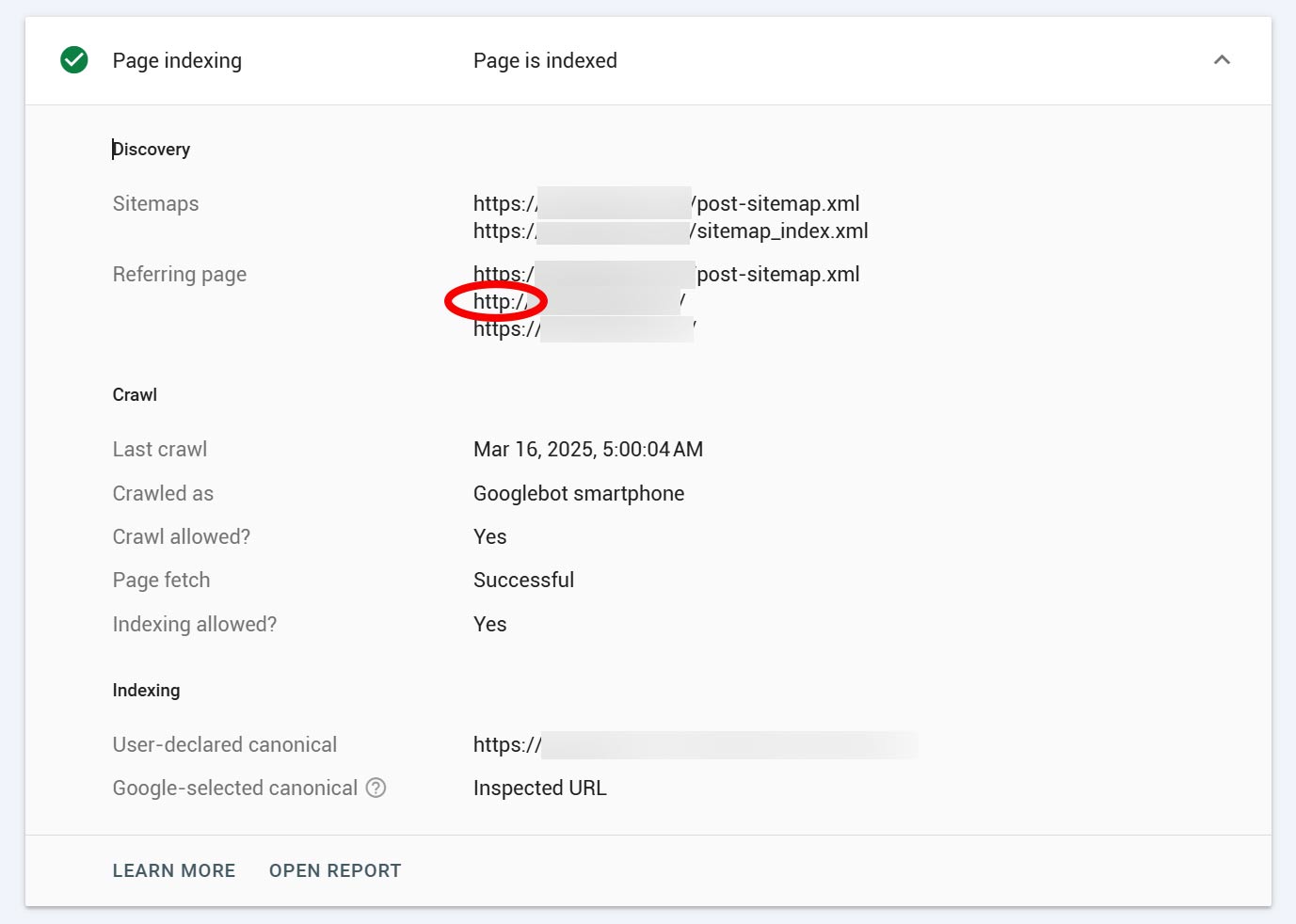
Why is the referring sitemap in GSC shows old urls?
Have you ever come across this issue?
You submit a page to GSC (Google Search Console) and next to Referring sitemap it shows versions of your url that you are now using.
Maybe it is showing:
http://yoururl.com or https://www.yoururl.com when you only using https://yoururl.com
There are a number of reasons for this. The obvious one is to check to see if you have by mistake created a link using the full url you dont want. I love using Better Search Replace to quickly search the site but be careful – not for the rookies.
If Google Search Console is finding referring pages with https://www. while your site is set up as https://, it could be due to one or more of the following issues:
1. Incorrect Redirects or Misconfigured Canonicals
-
Check if
https://www.versions of your pages are accessible. They should redirect to the non-www version with a 301 redirect. -
In WordPress, go to Settings > General and ensure both the WordPress Address (URL) and Site Address (URL) are set to
https://yourdomain.com(withoutwww). -
Inspect canonical tags in your page source (
<link rel="canonical" href="https://yourdomain.com">) to ensure they point to the correct version.
2. External Links Pointing to https://www.
-
Other websites or backlinks might be linking to your
https://www.version. -
Use Google Search Console’s Links report or a tool like SEMrush/Ahrefs to find and update those links.
3. Sitemap & Internal Links
-
Check if your XML sitemap (via Rank Math or another plugin) includes
https://www.links instead ofhttps://. -
Inspect internal links in your website code—any that reference
https://www.should be updated to match your canonical version.
4. Cloudflare or Hosting Settings
-
If you use Cloudflare, check its page rules and SSL/TLS settings:
-
Redirect all
https://www.traffic tohttps://via a 301 redirect in Cloudflare Page Rules. -
Ensure “Always Use HTTPS” is enabled.
-
5. Old Google Search Console Property
-
If you previously verified
https://www.yourdomain.com, GSC may still show old data. Make sure you’ve verified the correcthttps://yourdomain.comproperty.
Fixing the Issue
-
Set up a 301 Redirect (via
.htaccessif using Apache) -
Check & Update WordPress URL settings
-
Re-submit the correct sitemap in Google Search Console.
-
Check backlinks & update where possible.
-
Flush Cloudflare cache to apply changes.
Let me know how it goes!